Yala works in your mobile browser. You can pin it to your Home Screen so it opens like an app — no App Store download needed.
Use the live app at https://app.useyala.com.
iPhone (Safari)
-
Open Safari (Add to Home Screen is most reliable in Safari).
-
Go to app.useyala.com.
-
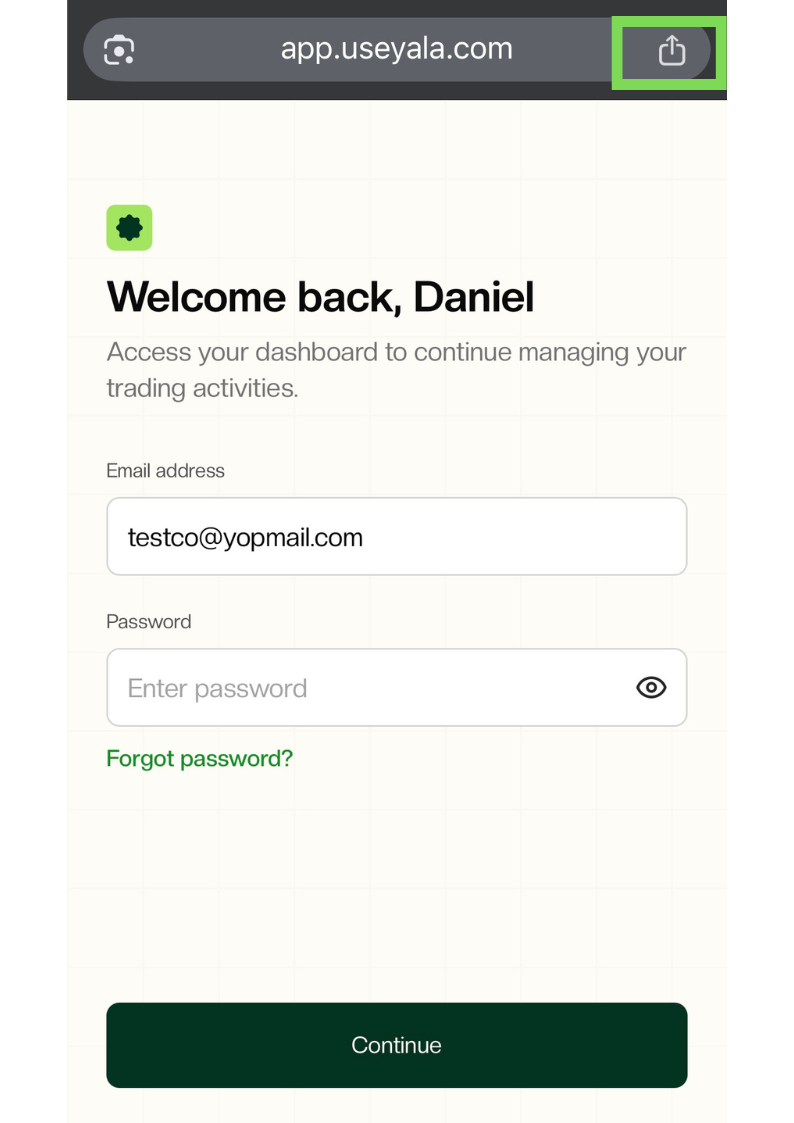
Tap the Share button (square with an upward arrow) in the address bar.
-
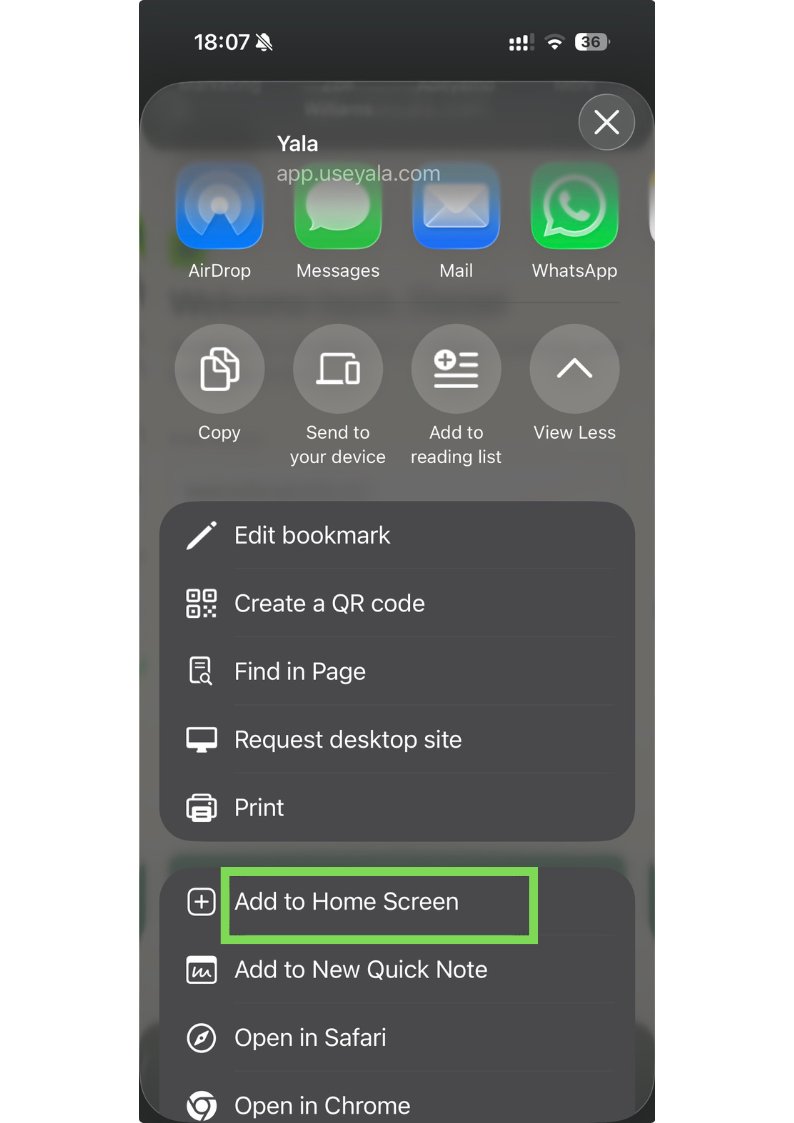
Scroll and tap Add to Home Screen.
-
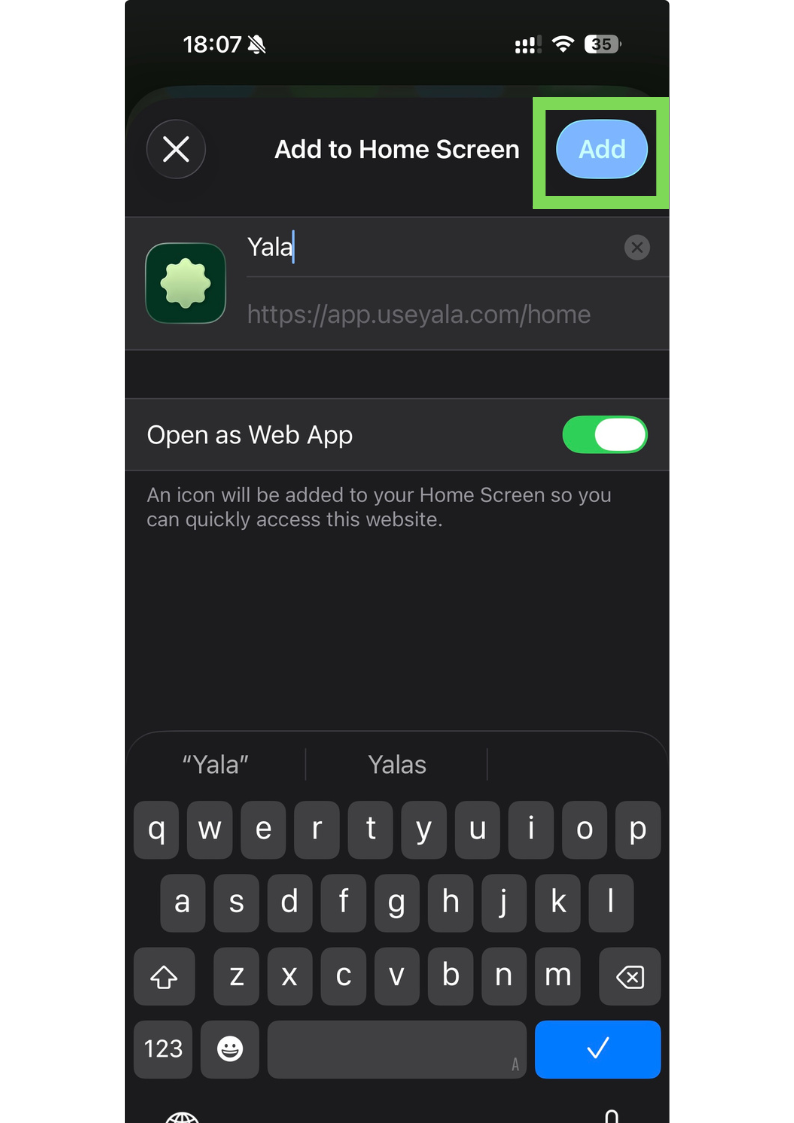
Confirm the name (for example, "Yala"), then tap Add.
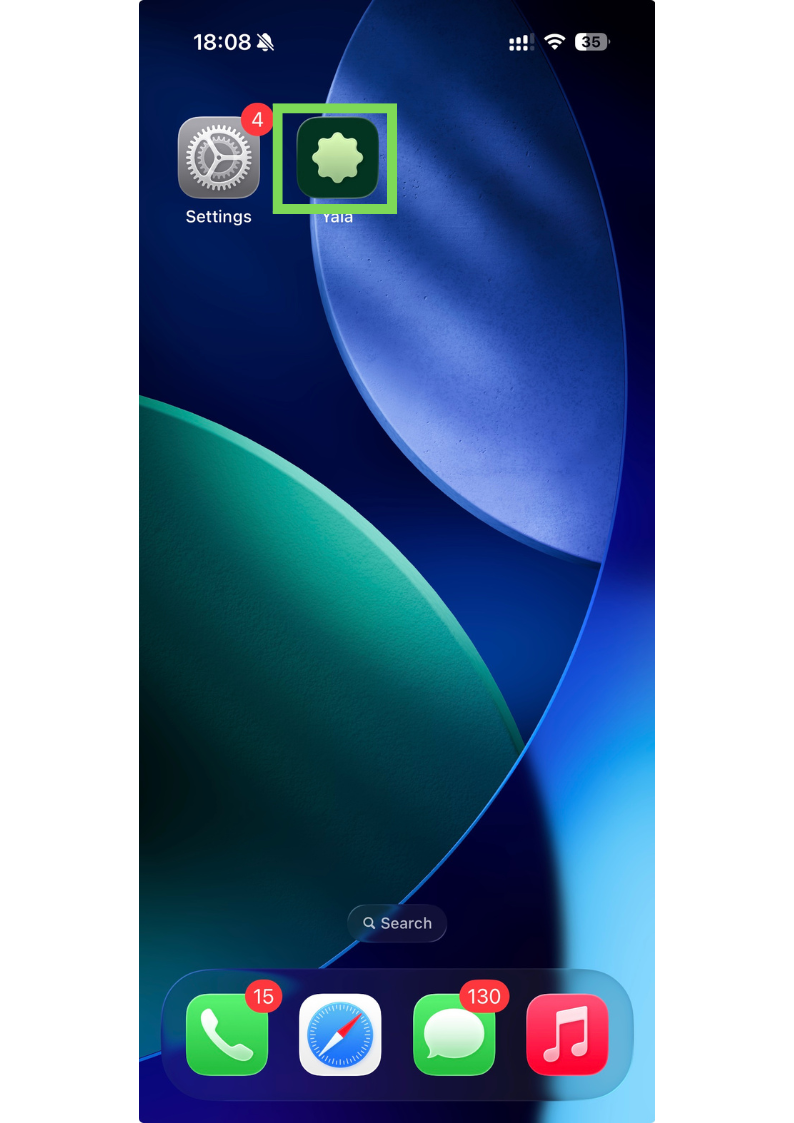
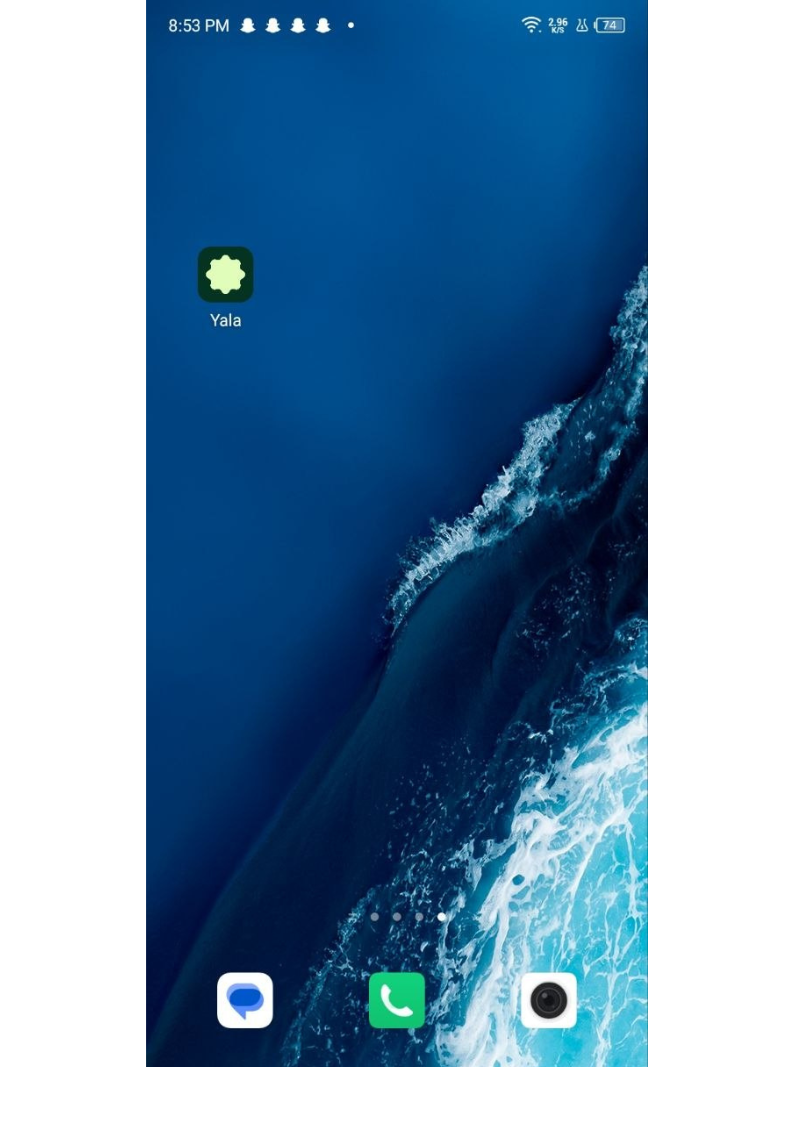
Yala appears on your Home Screen. Tap the icon anytime to open it in a full-screen Safari window.
Android (Chrome)
-
Open Chrome.
-
Go to app.useyala.com.
-
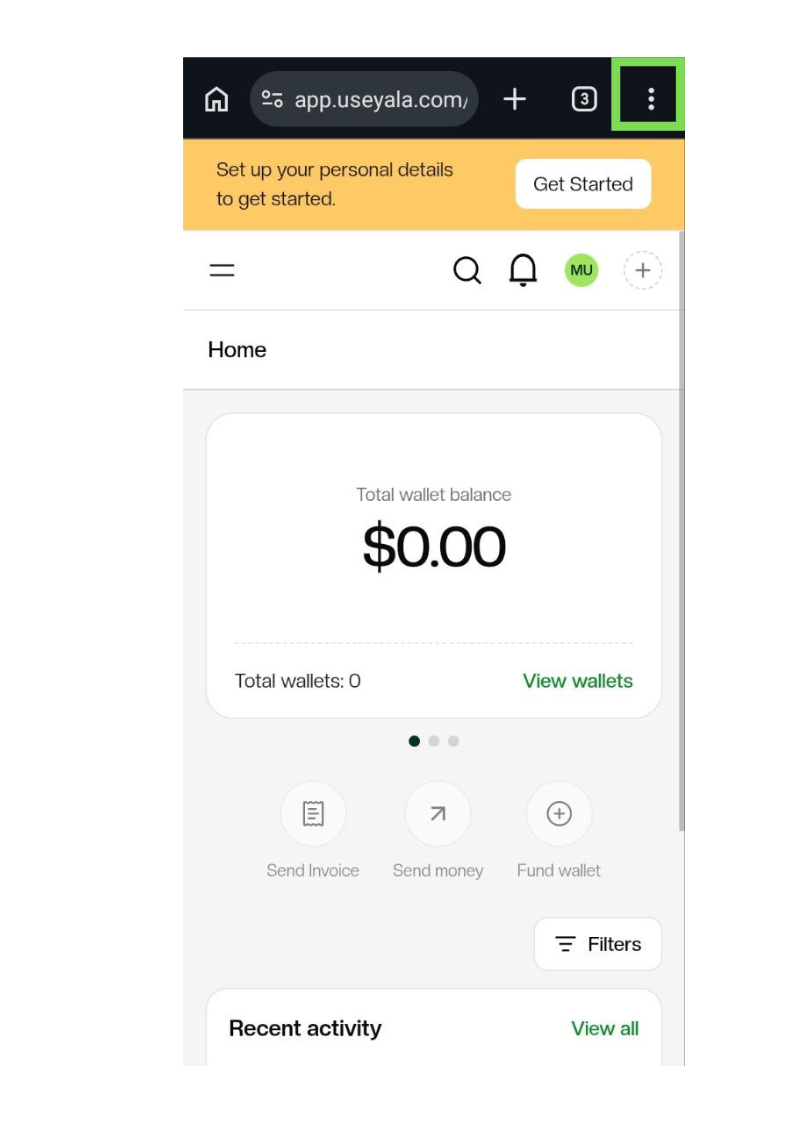
Tap the ⋮ menu (top right).
-
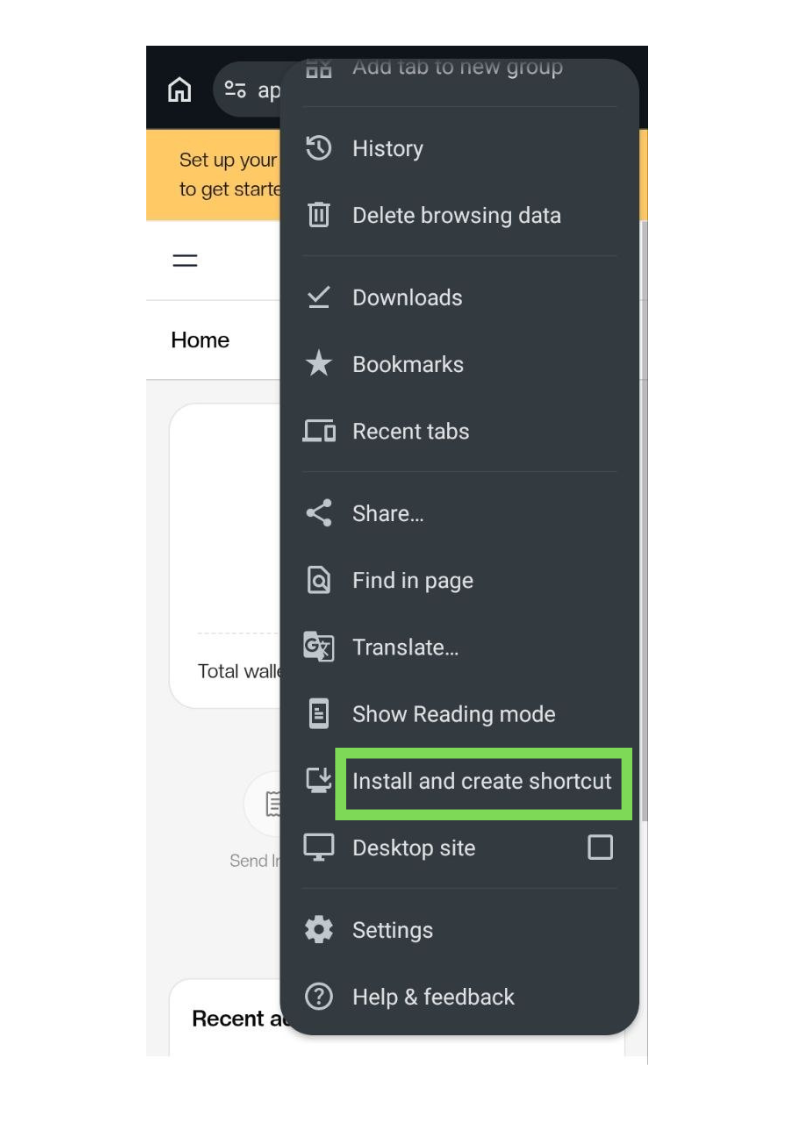
Tap Add to Home screen or Install and create shortcut (wording varies by Chrome version).
-
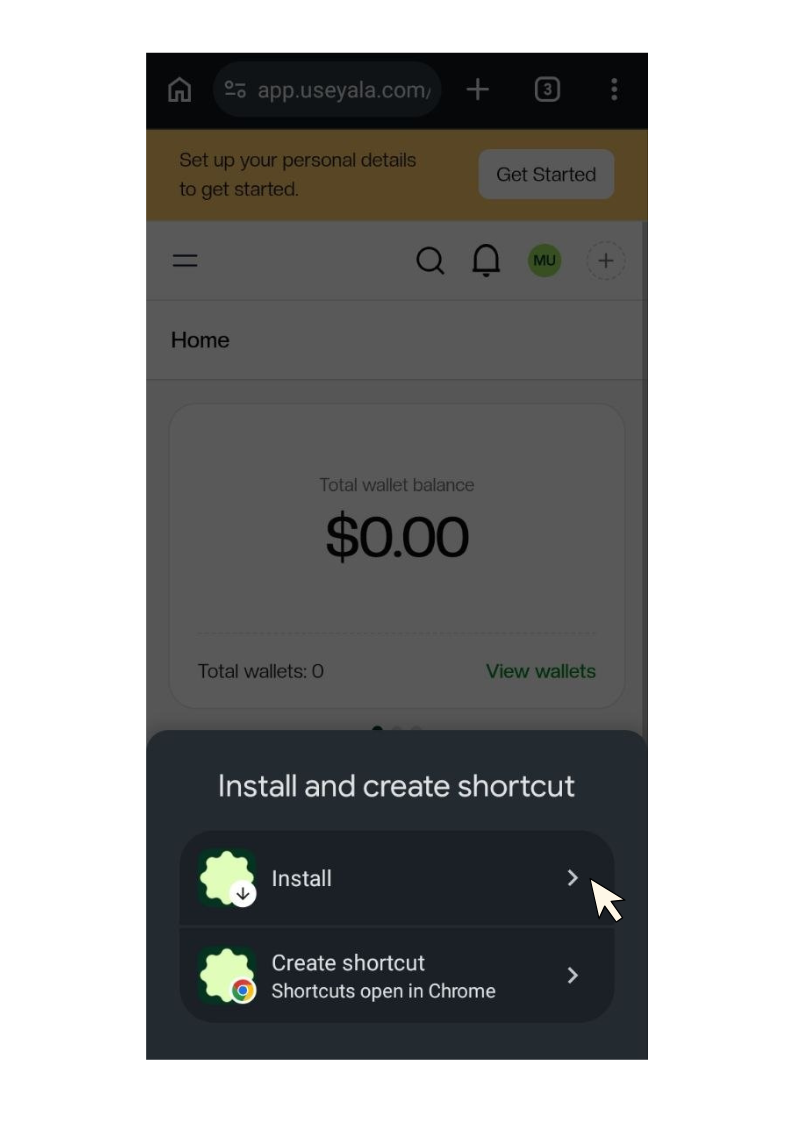
Confirm, then tap Add / Install.
-
Tap Install on the pop-up that appears.
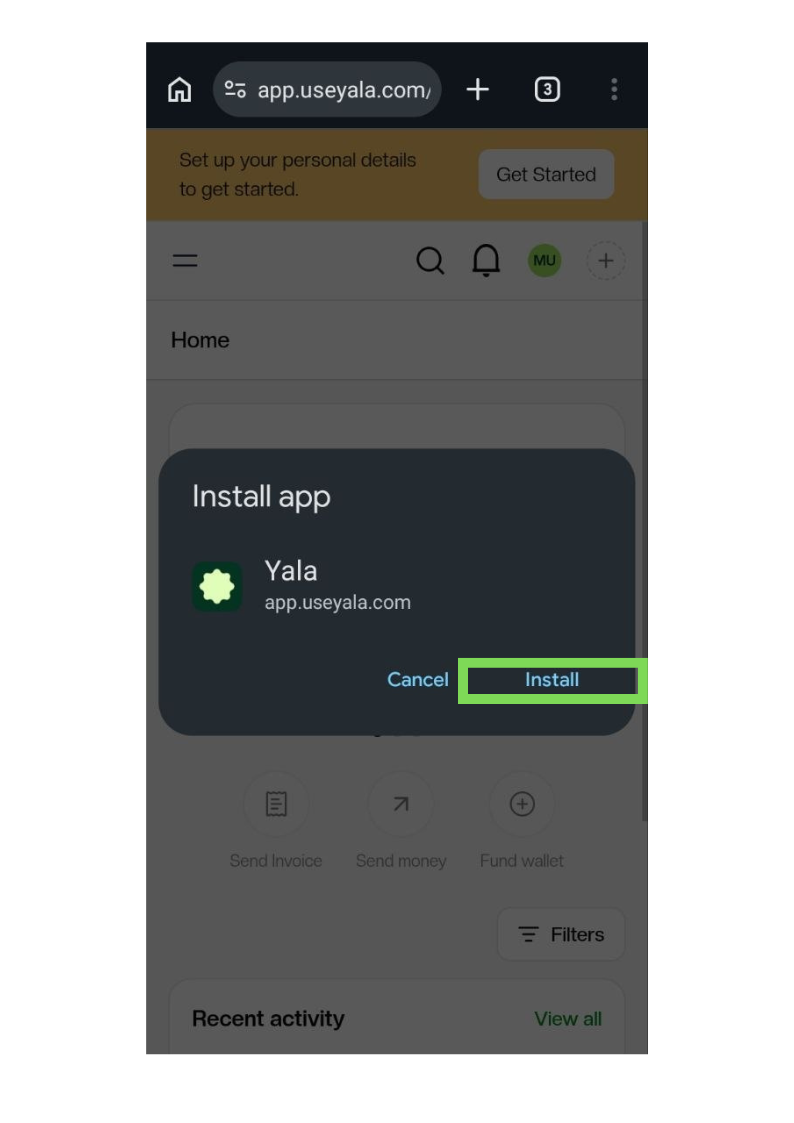
Yala appears on your Home Screen like other apps.
Tips
-
Bookmarking alone is not the same as Home Screen — use the steps above for a one-tap icon.
-
If you do not see "Add to Home Screen" on iPhone, make sure you are in Safari (not Chrome or in-app browsers).
-
After adding, you still sign in with email + OTP (or passkey, if you have set one up).
Check out the full video guide for clarity: [https://youtube.com/shorts/_gZZ0S-DW5o]
Need help? Open Help & Support in the Yala app and start a conversation with our team.